יום שישי, 16 בדצמבר 2016

Week 6

Hello everyone!

This week we learned about new tools that can help as with the teaching of speaking or writing skills.
I would like to recommend you about the five tools that I think are the most useful.


Storybird- this is a very cool website that enables students to write stories and poems. I choose this tool because it provides the option to improve writing skills in a unique, creative and enjoyable way. These are the steps to use the site; first, you choose an illustration from the wide verity offered in the site.  Then you choose whether you want to create a poem or a story.  Later you add words and pictures into your picture book. You can also publish your work to the site public library.  I would ask the students to create a story/poem at home. The next lesson they will present it in front of the class. Eventually I would ask them to enter the website again and to comment to some of their friends' stories.

Spelling Bee – this website is great for practicing listening and spelling skills and that is the reason I chose it. The activities in the website are divided into levels. For example, high schools students will listen to separate sentences and then spell the words from each sentence. At the end of the activity, the student gets a grade and the opportunity to see the right answers. I would let the students using this tool in the class as well as at home as homework.

Graphic Organizers – this website contains different types of graphic organized forms. I chose this tool because I think that it can assist students in generating ideas and planning their essay. Graphic organizers enable the students to organize information logically and to present their ideas in an effective way. I would present the students to several graphic organizers before the actual writing stage.
Idebate – this website contains a collection of hundreds debates topics. It also provides for and against arguments for each topic. I believe that this tool can be very useful for students who need to prepare for a debate. I would introduce this website to the class before the debates, so that they would be able to learn the arguments before the debate and focus more on their speaking skills.

Voice chat – Skype – I have never thought of using Skype in the classroom. I have to admit that I really like the ways that were presented this week regarding using it in the classroom. I strongly believe that as English teachers our main goal should be teaching the students to communicate orally in English with other people. That is why Skype can be very useful. For instance, I can ask the students to use Skype in order to discuss with other students about a specific topic. For more ideas you can click here.  


יום שלישי, 29 בנובמבר 2016

Week 4


Hello everyone!

This week we focused on Graphics and Images and explored ways of combining them wisely into the teaching-learning process.  
I strongly believe that pictures can be a very useful tool in the English lesson.  
Pictures make learning more meaningful and exciting and have positive effects on students.

Today, I would like to recommend you about another great tool that you can use in your classrooms: "Prezi" , this site enables you to create a very different kind of presentation (no more boring PowerPoint presentation!). With Prezi you can convey information in a dynamic way. It also gives the possibility to share your presentations online and on mobile devices. As teachers, we can use Prezi to create presentations ourselves of course, but I think that it can be much more fun and engaging to let our students create their own presentations. 
תוצאת תמונה עבור ‪using visual aids‬‏


Bests,

Nohar. 

יום ראשון, 27 בנובמבר 2016

Week 3


Hello everyone!

This week we learned about Word and Text Tools. I would like to share one more tool (that I believe 
you have all heard about) that I have read about in Free Technology for Teachers blog- Kahoot.
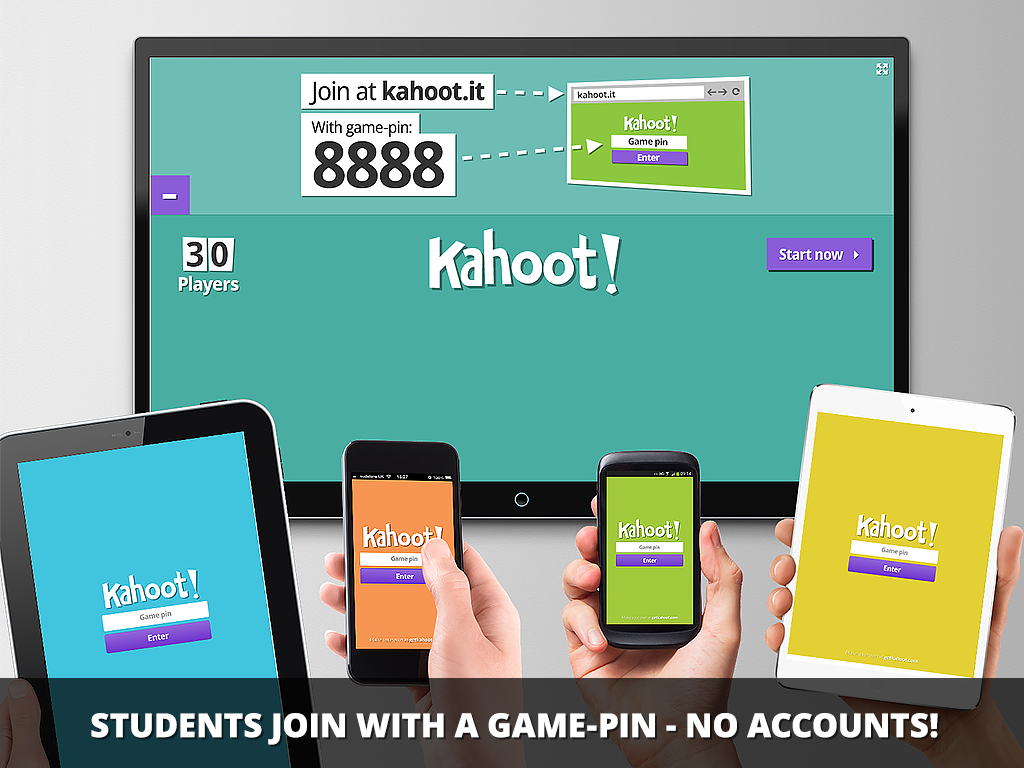
Kahoot is a tool for using technology to administer quizzes, discussions or surveys.
Kahoot game is a collection of questions on specific topics, students answer the questions with their smartphone, tablet or computer. Students get points for correctness and speed, the correct question.
and a scoreboard display after each question. 

תוצאת תמונה עבור ‪kahoot‬‏


The great thing about Kahoot is that Kahoots learning games can be created by anyone, for any 
subject and for learners of any age.
Students really enjoy this activity and it brings a lot of interaction to the classroom.
In the blog there is a video demonstrating how to create and use Kahoot. Press here to watch it.

Have a great week!
Nohar.


יום רביעי, 23 בנובמבר 2016

week 2


Hello everyone!

I have chosen 3 blogs and I would to share some of my insight regarding the posts I have read.
So, I didn’t know it but approximately two years ago Google released "Google Classroom" –an innovative online platform that allows teachers to manage the creation, distribution, and grading of assignments from one centralized, web-based location.
For example, teachers can give students assignments and worksheets, and receive them directly to a folder in their account automatically. Think about it – with "Google Classroom" teachers do not need to make photocopies anymore! And not less important students can't lose it. Another thing I really liked about this tool is the fact that Google Classroom allows teachers to give feedback in real time - Google Docs lets multiple users work on a single document at the same time, the ability to watch a collaborator typing in real-time can be an incredibly useful tool for teachers.
For more information, you can click EdTech Teacher

As I see it, parents have an important influence on a child’s education.in order to make parents more involved we should Open New Communication Channels.  A great web tool that I have read about in Educational Technology and Mobile Learning is called "Class Messenger", this tool allows teachers to connect and collaborate with parents and students within a single platform. It offers sending messages with pictures and documents, surveys. This tool web can really facilitate teacher-parent communication


יום ראשון, 13 בנובמבר 2016

About me

Hi,


My name is Nohar and this is my third year in Levinsky.

I am actually very happy to have the opportunity to enrich my knowledge regarding how to integrate
technology in education.

As I see, technology has a huge part of every aspect of our lives today.  We as teachers have a 
responsibility to help our students master technology in order to prepare them for the "real world" and for their future lives as adults (career etc.)

My main expectation from this course is to get a variety of technological practical tools and to learn hoe to integrate technology into lesson plans wisely